
Klaviyo list hygiene
How to Clean Fake Klaviyo Profiles in Shopify Without Deleting Real Customers
ShopiDeck
Product team
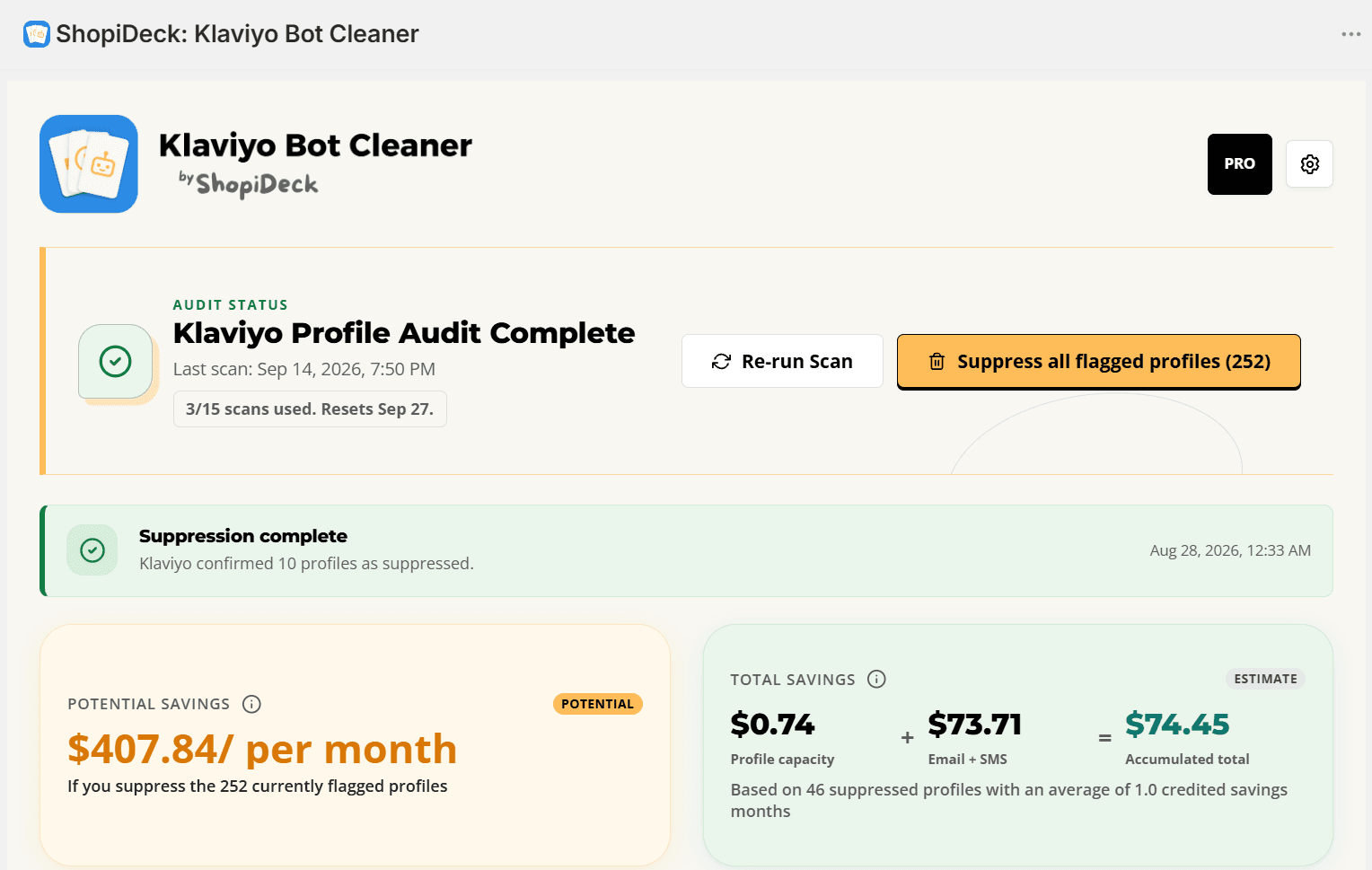
Fake and low-quality profiles can quietly build up in Klaviyo long before a merchant notices a problem. They may come from automated form submissions, disposable inboxes, testing, old imports, or repeated signup attempts. Mixed with real customers, these records make the list harder to understand and maintain.
Why fake profiles appear in Klaviyo
1. Public signup forms are easy targets for automated submissions. A bot can complete a newsletter or promotional form repeatedly, creating profiles that look like ordinary signups at first glance.
2. Disposable or short-lived email addresses can enter through legitimate-looking forms. The address may stop being useful soon after the signup, but the profile can remain in Klaviyo.
3. Test records, duplicate attempts, old imports, and incomplete profiles can accumulate over time. Not every low-quality profile is a bot, which is why context and merchant review matter.
Why low-quality profiles are bad for growth
Unnecessary profiles increase the size of the list you have to manage and can move an account closer to its plan's contact limits. Whether that changes a Klaviyo invoice depends on the account, plan, and billing threshold, so cleanup should never be presented as guaranteed savings.
They can also contaminate segments and campaign reporting. When contacts never intended to engage, it becomes harder to understand which audiences are real, which campaigns are working, and where marketing effort should go next.
Sending repeatedly to low-quality contacts can waste message capacity and create more manual work for the team. A review process helps separate useful customer data from profiles that deserve closer inspection.
A safer way to clean a Klaviyo list
1. Audit profiles that already exist instead of assuming every unusual signup is fraudulent.
2. Review explainable signals such as disposable-domain matches, unusual email patterns, generic or incomplete data, repeated values, and high-volume creation windows.
3. Check the reason and context for each flagged profile. A signal is not proof, and a real customer can share one suspicious characteristic.
4. Select only the profiles you want to act on and confirm the batch before sending a suppression request to Klaviyo.
5. Keep consent, domain authentication, form protection, audience strategy, and campaign hygiene as separate parts of the broader deliverability workflow.
How ShopiDeck: Klaviyo Bot Cleaner helps
Bot Cleaner connects through Klaviyo OAuth, audits existing profiles in the background, and presents a risk score, category, and human-readable reasons. The merchant stays in control: nothing is suppressed until selected profiles are reviewed and the action is confirmed.
The current workflow uses suppression, not permanent deletion. Suppression prevents future marketing sends to the selected profiles while preserving a review-first process. Install the app from Shopify to run an initial audit and understand what may be hiding inside your Klaviyo list.
Frequently asked questions
Does cleaning fake Klaviyo profiles guarantee a lower bill?
No. Removing contact-count pressure may help some accounts, but any billing impact depends on the Klaviyo plan and billing threshold.
Does Klaviyo suppression permanently delete a profile?
No. Suppression prevents marketing sends. ShopiDeck: Klaviyo Bot Cleaner does not permanently delete profiles in its current version.
How does Bot Cleaner identify suspicious profiles?
It uses explainable signals such as disposable domains, unusual email patterns, incomplete data, repeated values, creation bursts, and available subscription metadata. Signals require merchant review.
Does the app require Shopify theme changes?
No. It operates through Shopify Admin and backend APIs without Liquid edits or storefront scripts.
Turn profile hygiene into a review-first workflow.
Start with consent, domain authentication, and healthy segments. When suspicious profiles are already in Klaviyo, use ShopiDeck: Klaviyo Bot Cleaner to review signals and confirm selected suppressions.